
Download MindManager – powerful mind‑mapping & project organizer for Mac
MindManager is a comprehensive organizer designed specifically for Mac users who need a visual way to capture ideas, track resources, and streamline complex projects. By turning thoughts into structured maps, MindManager lets you see connections, prioritize tasks, and turn abstract concepts into actionable plans. Whether you’re a solo entrepreneur, a team leader, or a creative professional, this tool offers an intuitive drag‑and‑drop interface, rich formatting options, and seamless integration with everyday productivity workflows. The built‑in brainstorming mode, timer, and internet‑enabled linking make it more than just a mind‑map—it’s a full‑featured planning hub that keeps your data secure, up‑to‑date, and ready for export to a variety of formats.
Overview – Why MindManager stands out on macOS
When it comes to visual thinking software on macOS, MindManager distinguishes itself through a blend of elegance and depth. The moment you launch the app, you’re greeted with a clean canvas that encourages free‑form thinking without overwhelming you with unnecessary menus. The learning curve is short thanks to an Interactive Quick Start guide that walks you through creating your first map, adding topics, sub‑topics, and relationships. This guided approach means that even users new to mind‑mapping can produce professional‑looking diagrams within minutes.
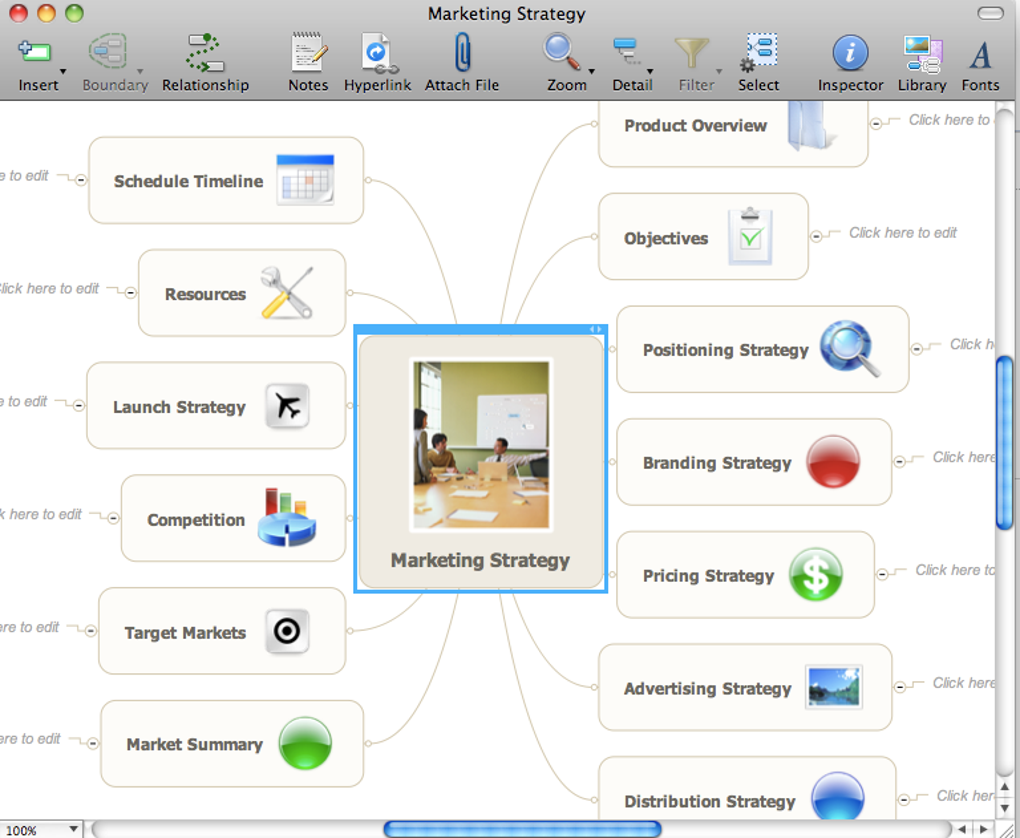
The core philosophy behind MindManager is to make “thinking visible.” By converting scattered notes into a structured layout, you gain a clearer perspective on dependencies, bottlenecks, and opportunities. The software’s real power emerges when you combine visual mapping with built‑in project‑management features such as task assignments, due dates, and progress tracking. You can attach files, embed images, insert hyperlinks, and add rich text notes to any node, turning a simple idea into a fully documented plan.
Another standout feature is the seamless export capability. Once your map is complete, you can export it to Microsoft Project, PDF, Word, PowerPoint, or even HTML, ensuring that stakeholders who don’t use MindManager can still view and interact with your work. The program also supports spell‑checking, which helps maintain professionalism across all exported documents. Security is taken seriously: all data is stored locally on your Mac unless you choose to sync via cloud services, giving you full control over privacy.
Overall, MindManager provides a balanced mix of creative freedom and structured discipline, making it a valuable ally for anyone looking to organize ideas, people, plans, and resources in a single, secure environment.
Key Features that empower your workflow
- Intuitive Drag‑and‑Drop Canvas: Build maps quickly by dragging topics, sub‑topics, and connectors directly onto the workspace.
- Rich Content Integration: Add icons, notes, images, hyperlinks, attachments, and even live web previews to any node.
- Brainstorming Mode: Switch to a free‑form brainstorming view that encourages rapid idea capture without structural constraints.
- Task Management Tools: Assign owners, set due dates, add priorities, and track progress directly within the map.
- Timer & Countdown: Use the built‑in timer to manage meetings, sprints, or focused work sessions.
- Export & Share Options: Convert maps to PDF, Word, PowerPoint, Microsoft Project, HTML, or image formats for easy sharing.
- Built‑in Spell‑Check: Ensure all textual content is error‑free before exporting or presenting.
- Custom Themes & Styles: Apply pre‑designed themes or create your own color schemes to match branding guidelines.
- Collaboration Ready: Share maps via email, cloud links, or integrate with Microsoft Teams and Slack for real‑time feedback.
- Secure Local Storage: All files are saved on your Mac by default, with optional encrypted cloud sync for backup.
These features are not just a checklist; they work together to create a fluid experience. For example, you can start a brainstorming session, capture spontaneous ideas, then instantly convert those ideas into actionable tasks with due dates and owners. The timer helps you keep meetings on track, while the export functions ensure that every stakeholder receives the information in their preferred format. The flexibility of custom themes means you can maintain visual consistency across multiple projects, which is especially valuable for agencies and marketing teams.
MindManager also embraces accessibility. Keyboard shortcuts are fully supported, and the interface adheres to macOS accessibility standards, allowing users with visual impairments to navigate maps using VoiceOver. The application’s performance remains smooth even with large, complex diagrams, thanks to efficient rendering and memory management optimized for Apple silicon.
Installation, Usage & Compatibility – Getting started on macOS
Installing MindManager on a Mac is straightforward. Visit the official website, click the “Download for Mac” button, and the installer package (.dmg) will begin downloading. Once the download completes, open the .dmg file and drag the MindManager icon into your Applications folder. macOS may prompt you to confirm that you want to open an app from an identified developer—simply click “Open.” The application will then launch, and you’ll be greeted by the Interactive Quick Start tutorial.
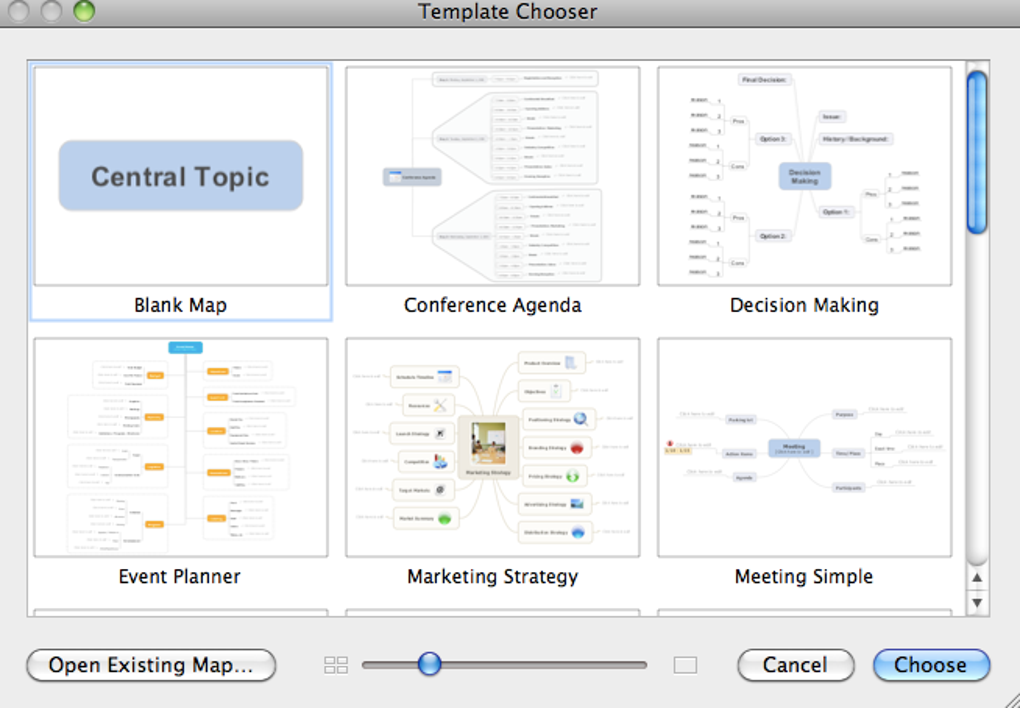
The tutorial walks you through the essential functions: creating a new map, adding topics, connecting ideas, and customizing visual styles. It also introduces the sidebar where you can access templates, themes, and the task‑management pane. After completing the tutorial, you’ll be ready to explore more advanced features such as the timer, brainstorming mode, and export options.
MindManager is fully optimized for the latest macOS versions, including macOS Ventura, Monterey, and Big Sur. It runs natively on Apple Silicon (M1, M2, and later) as well as Intel‑based Macs, delivering fast load times and responsive interactions regardless of your hardware. The software requires macOS 11.0 or later and at least 4 GB of RAM, though 8 GB is recommended for handling very large maps with numerous attachments.
In terms of integration, MindManager supports opening and saving files in its native .mmap format, as well as importing from common mind‑mapping standards like .mm (FreeMind) and .opml. This ensures you can migrate existing diagrams from other tools without losing structure. For collaboration, the app can sync maps to iCloud, Dropbox, or OneDrive, giving you the flexibility to work across multiple devices while keeping data secure.
To keep your software up‑to‑date, MindManager includes an automatic update checker that notifies you when a new version is available. Updates are delivered via the built‑in updater, which downloads and installs patches without requiring a full reinstall. Regular updates bring performance improvements, new templates, and security enhancements, ensuring your mind‑mapping environment stays current and safe.
Compatible operating systems: macOS 11.0 (Big Sur) and later, including Apple Silicon and Intel processors.
Pros & Cons, Frequently Asked Questions & Final Verdict
Pros
- Highly intuitive drag‑and‑drop interface suitable for beginners and power users.
- Robust set of project‑management tools built directly into the mind‑map.
- Extensive export options keep you compatible with Microsoft Office and other platforms.
- Optimized performance on both Apple Silicon and Intel Macs.
- Secure local storage with optional encrypted cloud sync.
Cons
- Pricing is on the higher side compared to some lightweight mind‑mapping apps.
- Advanced collaboration features require a subscription tier.
- No native Windows or Android version—Mac‑only focus limits cross‑platform teams.
Frequently Asked Questions
Is there a free trial available for MindManager?
Yes, MindManager offers a 14‑day free trial that gives you full access to all features, allowing you to evaluate the software before committing to a purchase.
Can I import maps from other mind‑mapping tools?
Absolutely. MindManager supports importing .mm (FreeMind), .opml, and other common formats, making it easy to transition from existing solutions.
How does MindManager handle data security?
All maps are saved locally on your Mac by default. If you choose to sync via cloud services, MindManager encrypts files in transit and at rest, ensuring that your information remains private.
Is MindManager compatible with Apple Silicon Macs?
Yes, the application runs natively on M1, M2, and newer Apple Silicon processors, delivering fast performance and low power consumption.
What export formats are supported?
MindManager can export to PDF, Word, PowerPoint, Microsoft Project, HTML, PNG, and JPEG, among others, ensuring seamless sharing with teammates and clients.
Conclusion – Should you download MindManager?
MindManager delivers a powerful, visually appealing solution for anyone who needs to transform ideas into actionable plans on a Mac. Its blend of intuitive design, extensive feature set, and robust export capabilities make it a top choice for professionals, educators, and creative teams alike. While the price point may be higher than basic mind‑mapping utilities, the added project‑management tools, secure local storage, and native Apple Silicon optimization provide genuine value that justifies the investment. If you’re looking for a secure, feature‑rich organizer that can handle everything from quick brainstorming sessions to complex project timelines, downloading MindManager is a decision you won’t regret.







